This document outlines the changes that need to be made to local teams app, to change the default document location where files are opened. There is a licence requirement for this, it requires Microsoft E3 /E5 or Education E3 / E5.
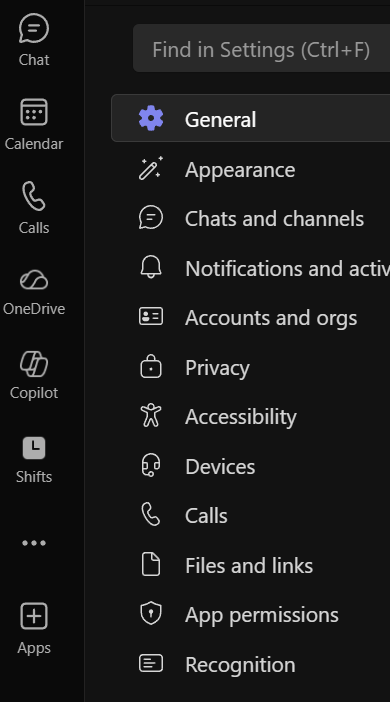 First of all, click the 3 dots next to your profile picture. Then select settings. NOTE: You may see just the 3 dots or you will see the Unlock Premium with the 3 dots.
Once Settings have been opened, on the left-hand side, there is an option for Files and Links select this option and then select desktop.

After these changes are made they are saved automatically, click on the left-hand side of the screen to go back to your chats.
Was this article helpful?
That’s Great!
Thank you for your feedback
Sorry! We couldn't be helpful
Thank you for your feedback
Feedback sent
We appreciate your effort and will try to fix the article