Below demonstrates some examples on how to spot scam or phishing emails,
If in doubt do not click links and do not ever enter your logon credentials if you get asked if you are following a link.
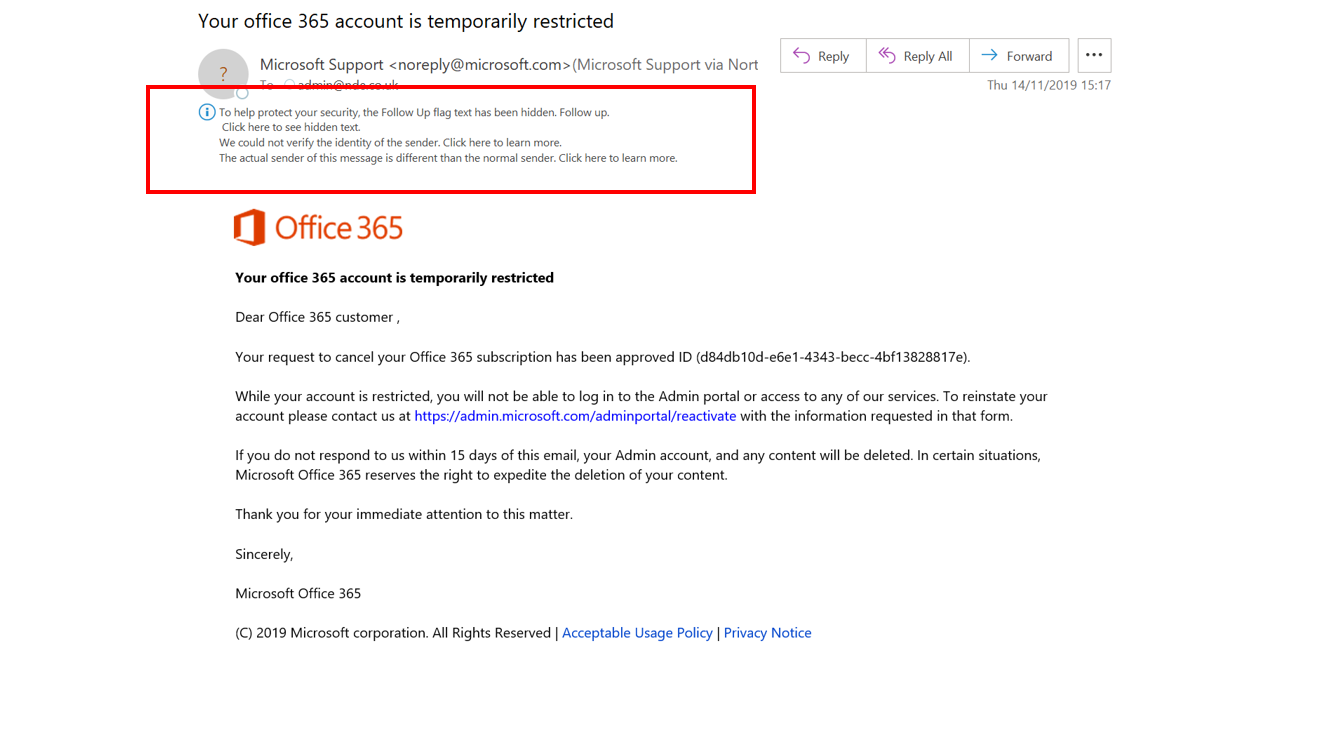
First thing - is the warning shown?
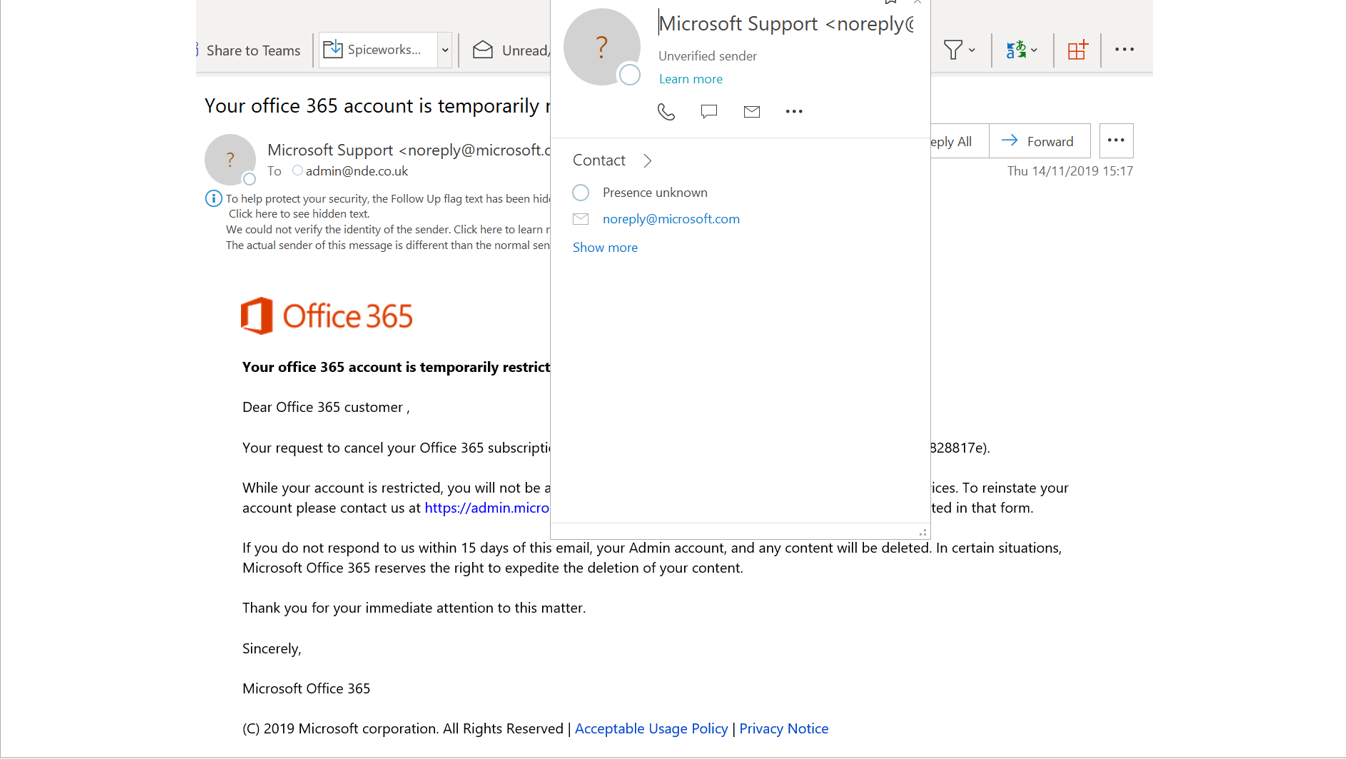
Hover over the From address - It shows as an Unverified Sender – this means that it has failed some levels of security checks
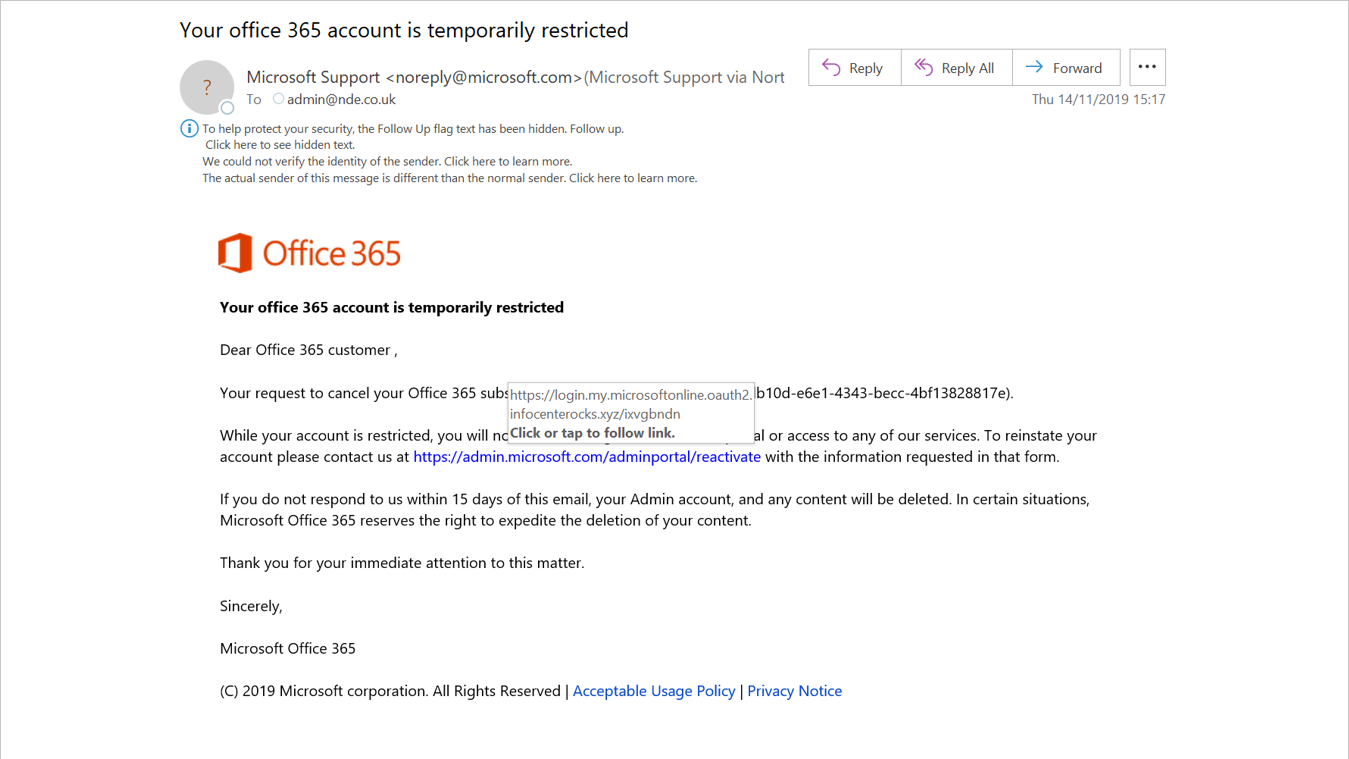
Hover over the embedded link - You can see that the link that it will actually take you to is different to the one that you think you are going to.
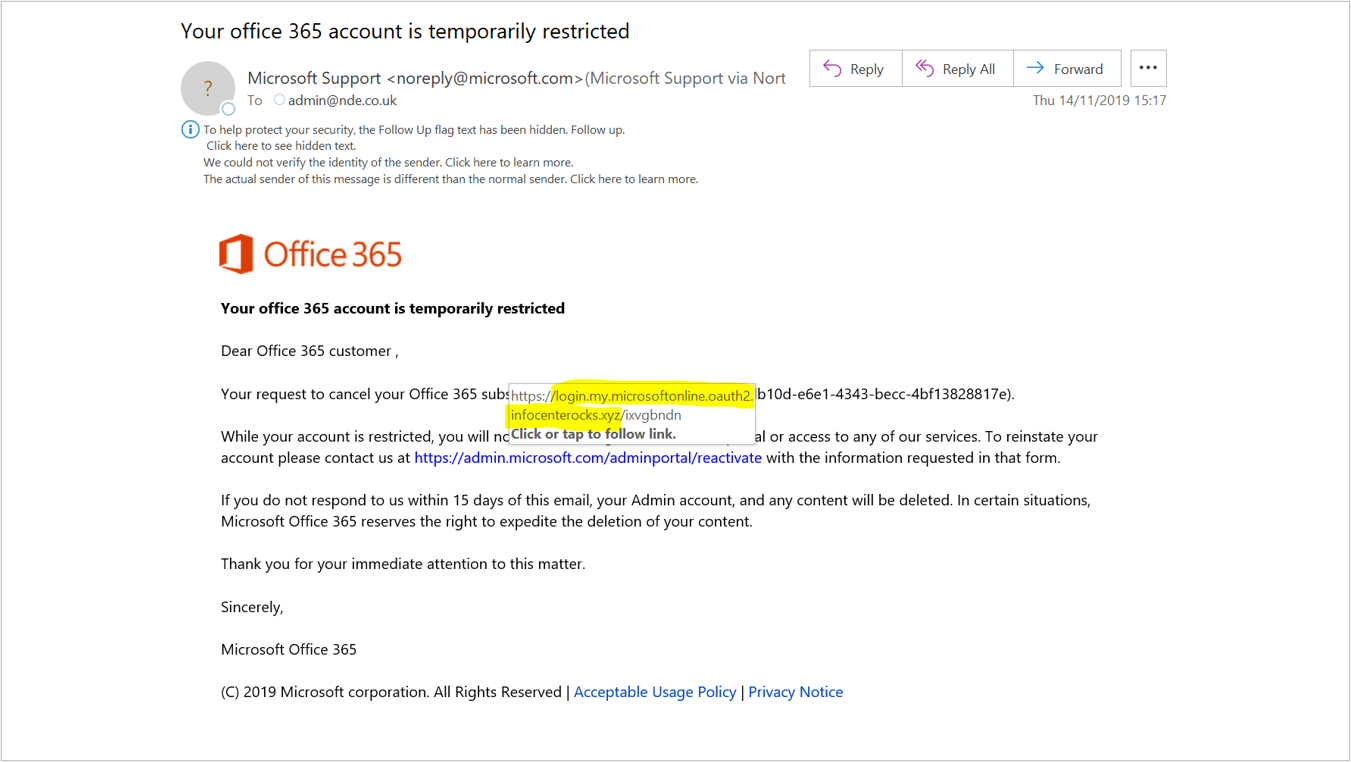
The highlighted part of the URL shows the Domain it is going to - Although the word Microsoft is in there it isn’t going to the Microsoft domain
Was this article helpful?
That’s Great!
Thank you for your feedback
Sorry! We couldn't be helpful
Thank you for your feedback
Feedback sent
We appreciate your effort and will try to fix the article