New Account Setup
Follow the steps below to setup an account for the 1st time.
By creating an account, you’ll be able to view your ticket updates and history directly from the portal.
- Browse to: https://equinoxx.freshdesk.com/support/signup
- Enter your Full Name and Email, tick the reCAPTCHA and click Register
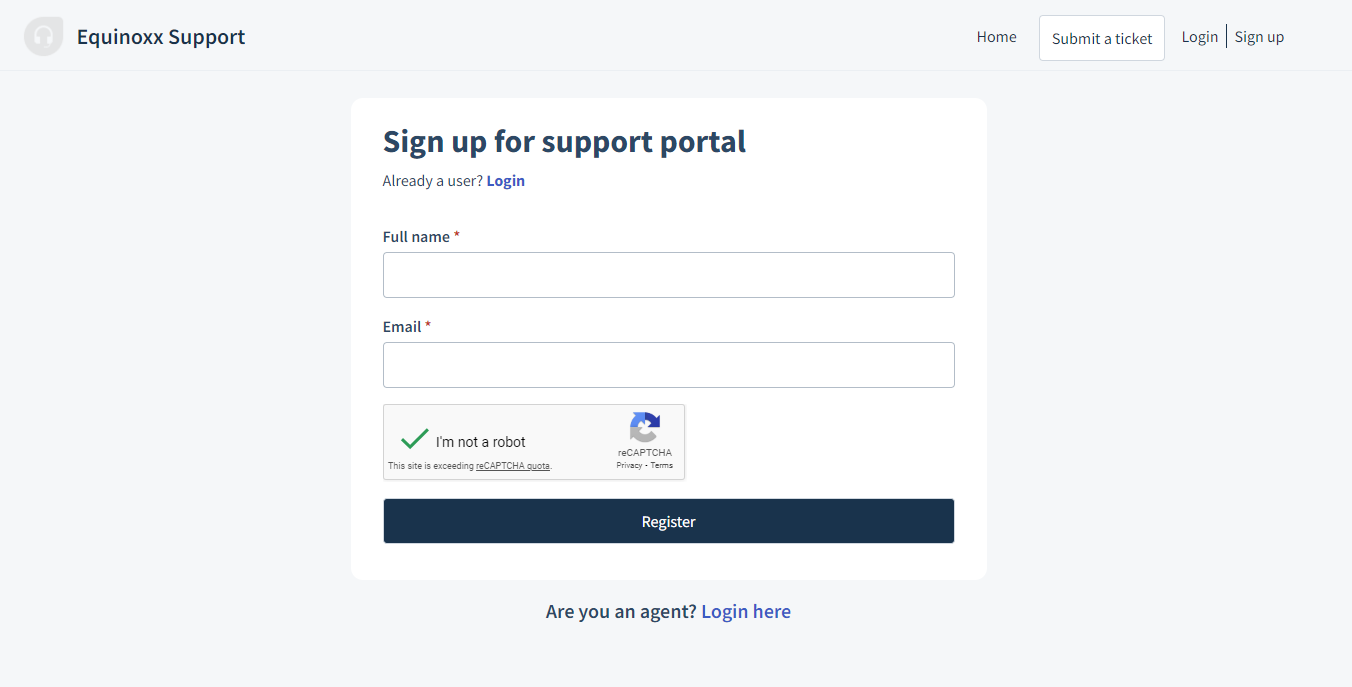
- You will receive an email, click the link in the email to get to the Activation page
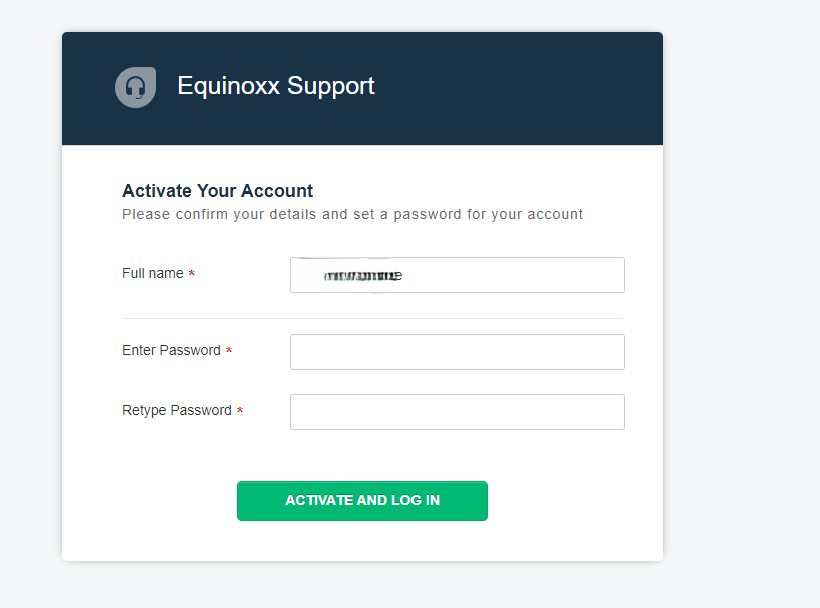
- Create Password and sign in
- You can then browse to https://equinoxx.freshdesk.com/ to sign in or create new tickets.
Was this article helpful?
That’s Great!
Thank you for your feedback
Sorry! We couldn't be helpful
Thank you for your feedback
Feedback sent
We appreciate your effort and will try to fix the article