1. Issue Description
Summary:
When connecting with Remote Desktop, some users may see an error about Network Level Authentication (NLA) that prevents them from logging in.
Symptoms/Indicators:
Error message:
“The remote computer requires Network Level Authentication, which your computer does not support.”Unable to sign in — the normal username/password screen does not appear.
Affected Systems/Services:
Windows Remote Desktop (RDP) connections
Impact:
Stops you from connecting to the remote computer until the correct login method is chosen.
2. What You’ll See
When you try to connect with Remote Desktop, you should normally see a login box like this:
(Insert screenshot of Windows Security popup – username & password prompt)
If instead you see an error message saying:
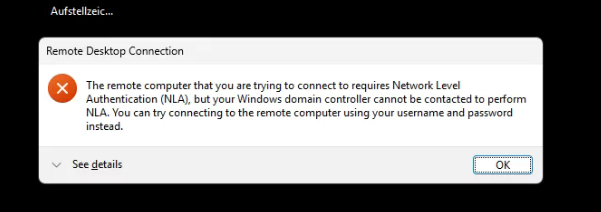
“The remote computer requires Network Level Authentication, which your computer does not support.”
…it means your computer isn’t offering the right login option.
3. Root Cause
This error is caused when you’re signed in to your PC using Windows Hello (face recognition or fingerprint) or a PIN code instead of your full username and password.
Remote Desktop needs the full credentials to connect, so it shows the NLA error instead of the login box.
4. How to Sign In
- Open Remote Desktop and connect as usual.
- On the login screen, click More choices.
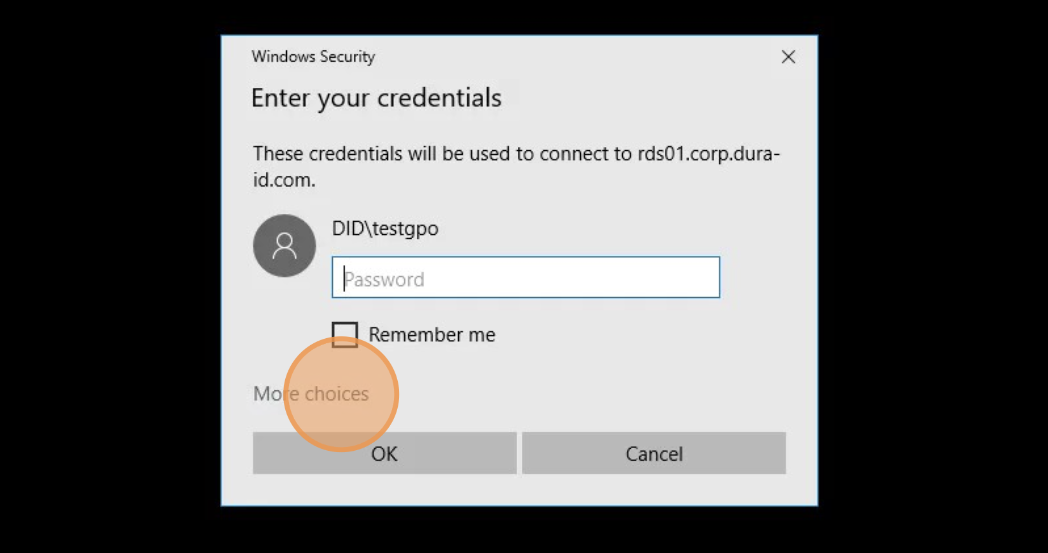
- Select Use a different account.
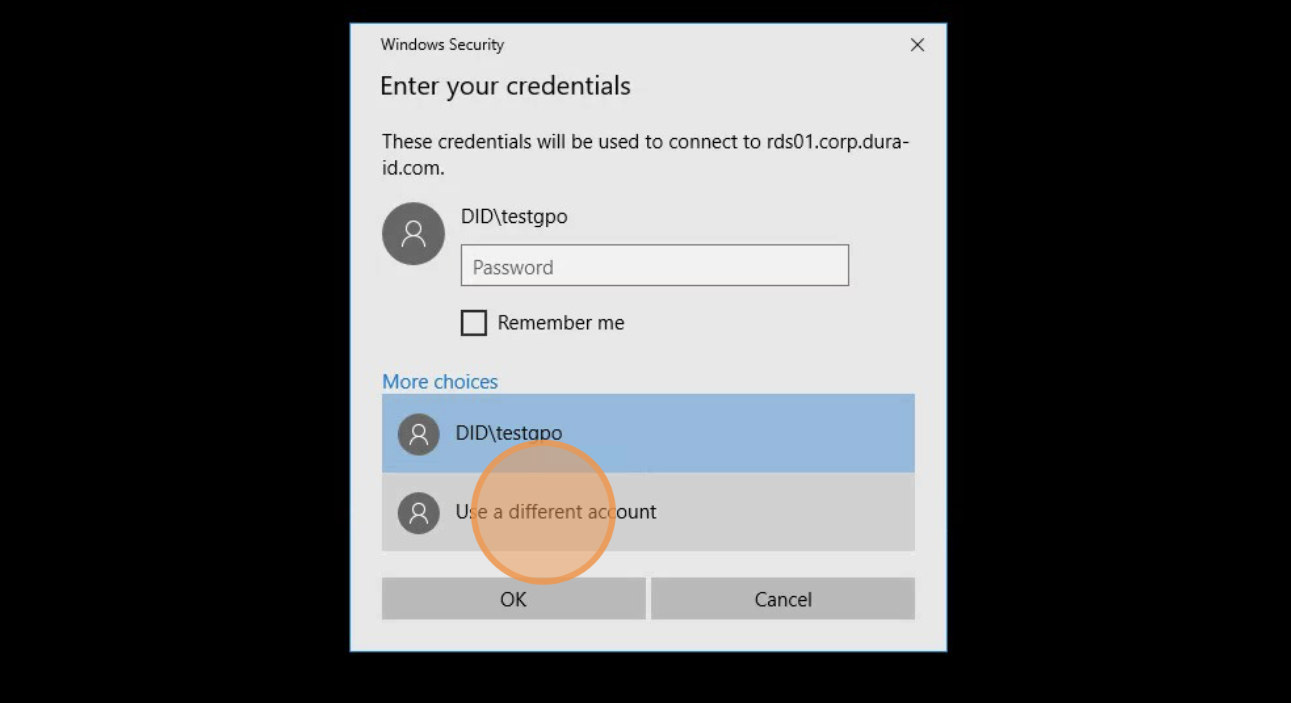
- Enter your username and password for the remote computer (not your PIN or Windows Hello).
- Click OK to connect.
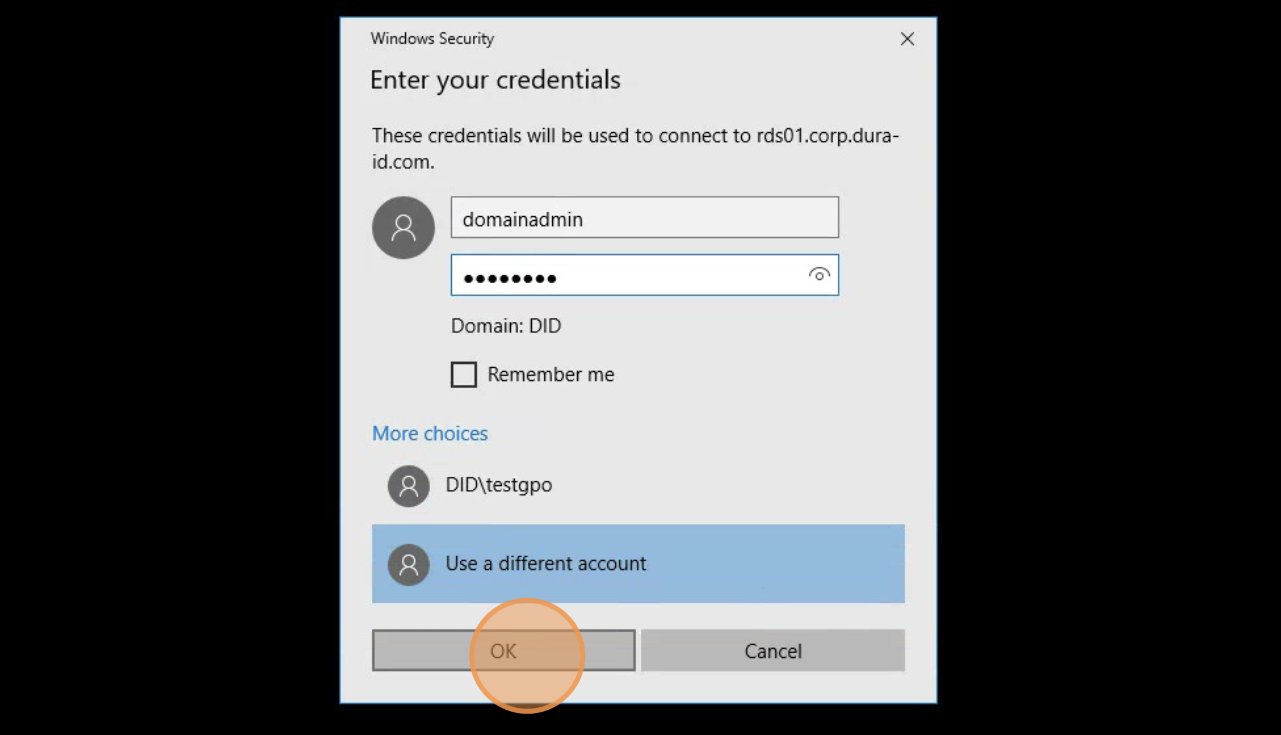
5. You’re Back In!
You should now be signed in successfully.
If the NLA error appears again in future, just repeat the More choices → Use a different account steps.
6. If It Still Doesn’t Work
Raise a support ticket for an IT Support Technician to investigate further - https://equinoxx.freshdesk.com/support/home
Was this article helpful?
That’s Great!
Thank you for your feedback
Sorry! We couldn't be helpful
Thank you for your feedback
Feedback sent
We appreciate your effort and will try to fix the article