Please see below instructions;
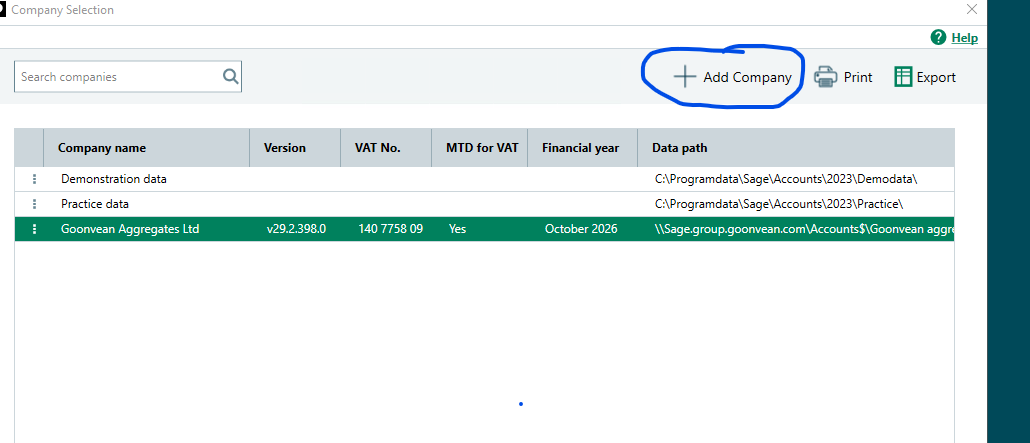
- Click Add Company
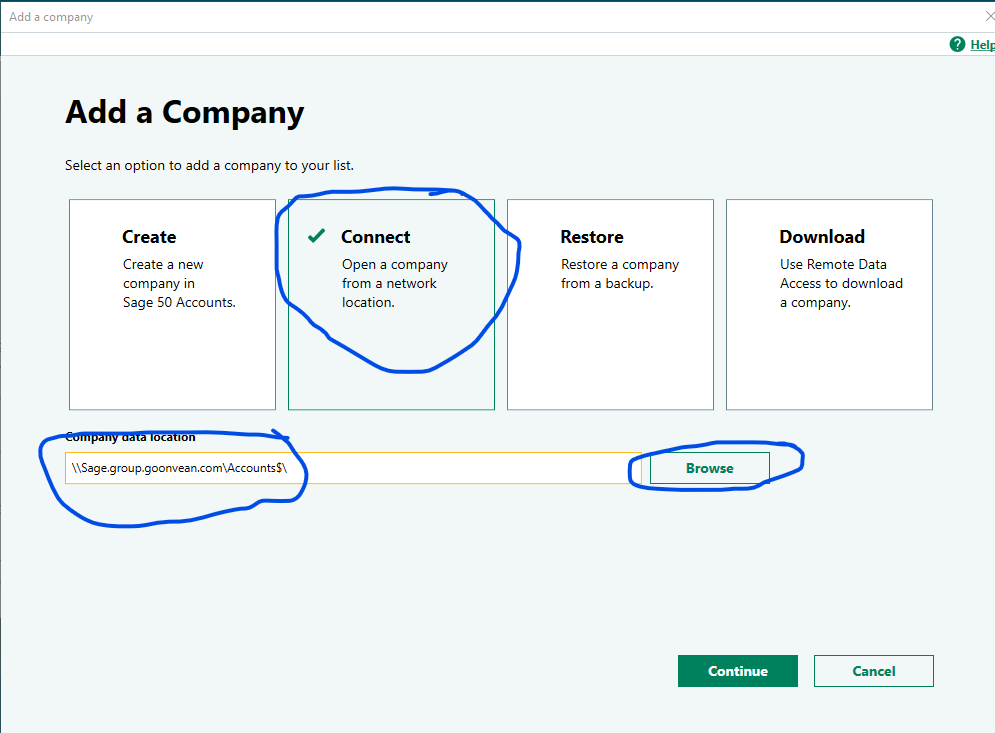
- Click on Connect
- Type the file Path \\Sage.group.goonvean.com\Accounts$\ and Click Browse
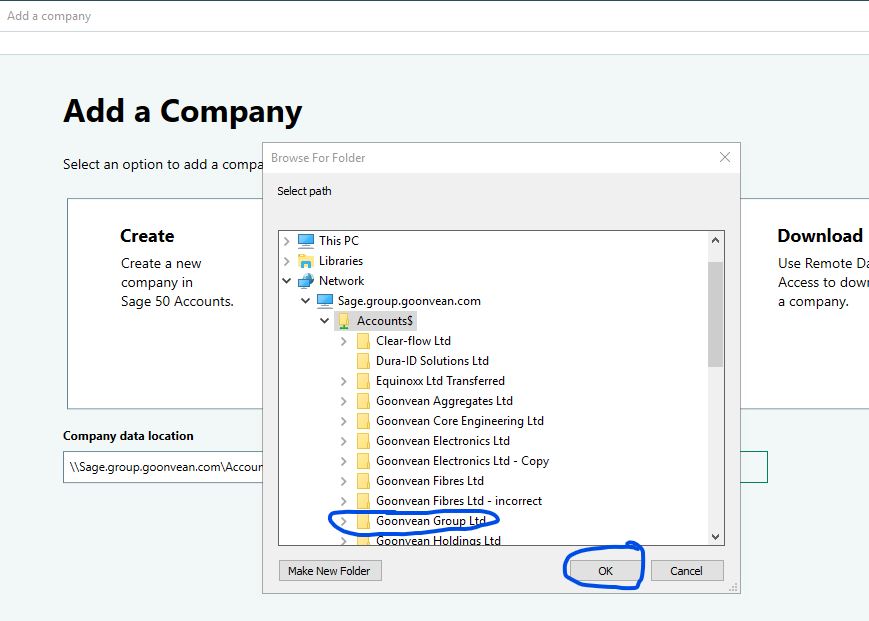
- Double click on Accounts$ or find the company folder and click on it and click OK.
- Then Click Continue
- It should then connect and ask for your User Name and Password to login.
- Login and verify that it is the live version (I checked the most recent transactions)
- This should then be available for all to see
Was this article helpful?
That’s Great!
Thank you for your feedback
Sorry! We couldn't be helpful
Thank you for your feedback
Feedback sent
We appreciate your effort and will try to fix the article